
ICS Device Manager: Next-Generation Configuration for All Intrepid Hardware
The Cross-Platform Utility for CAN FD, LIN, FlexRay and Automotive Ethernet SetupICS Device Manager is Intrepid Control Systems’ powerful, next-generation configuration utility, designed for streamlined setup of all your vehicle network interfaces. Easily configure CAN FD networks, create Ethernet taps, and manage firmware across Windows, Linux, and macOS.
KEY FEATURES
- Cross Platform Compatibility – Works natively on Windows, Linux, and macOS. Use it standalone or integrated into Vehicle Spy.
- Effortless Firmware Management – Keep your hardware current with automatic or manual firmware updates, including built-in version management.
- Settings Import/Export – Save device configurations to a file for easy fleet deployment and production-level consistency.
- Advanced CAN/CAN FD – Full configuration for High-Speed CAN, including CAN FD, ISO mode, custom baud rates, TQ timing, and TDC.
- Full LIN Network Support – Easily select master/slave mode, set adjustable baud rates, and optimize EMC with multiple slew rate options.
- Automotive Ethernet Taps – Create active taps for 100BASE-T1, 1000BASE-T1, and 10BASE-T1S. Configure cut-through mode and TC10 forwarding.
icscap Features & Benefits:
- Capture and analyze Automotive Ethernet, CAN, CAN FD, LIN, and FlexRay traffic for debugging, validation, and compliance testing.
- Use a familiar interface to inspect raw packets and diagnose communication issues efficiently.
- Extend Wireshark with Lua scripts to interpret proprietary messages or complex traffic patterns (Protobuf, SOME/IP, etc).
- Capture traffic for offline analysis, regression testing, replay, or teaching purposes.
- Easy installation with Intrepid interfaces, minimizing setup time and downtime.
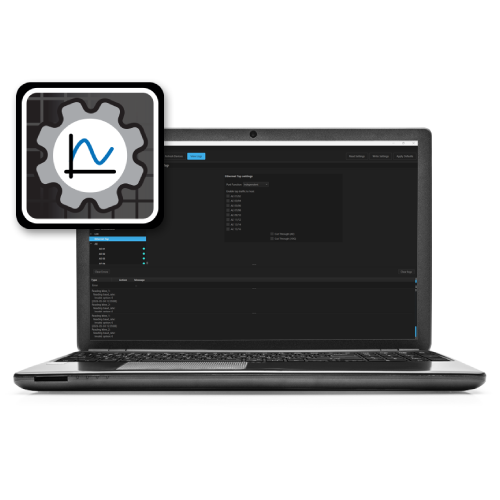
Get Your Device Configured in Minutes

Download or Launch
Download the free standalone app or launch it directly from Vehicle Spy via Setup → Hardware.

Connect Your Device
ICS Device Manager instantly detects connected Intrepid hardware. Select your device and click Connect.

Configure and Save
Adjust CAN, LIN, and Ethernet settings using the intuitive interface. Click Save Settings to write changes to your device.
APPLICATIONS & USE CASES
Drive Your Development Forward
- ECU & Vehicle Integration: Configure and test CAN, CAN FD, FlexRay, LIN, and Automotive Ethernet networks during the development process.
- Diagnostics & Monitoring: Set up Intrepid hardware for advanced OBD-II, UDS communication, and critical network monitoring.
- Non-Intrusive Tapping: Create active taps to passively monitor 100BASE-T1 and 1000BASE-T1 Automotive Ethernet traffic.
- Production & Fleet Management: Export configurations to ensure identical settings are deployed across hundreds of devices efficiently.
SUPPORTED DEVICES
Please read the hardware documentation of your Intrepid device to see if it’s compatible.
ICS DEVICE MANAGER vs. neoVI EXPLORER
| Feature | ICS Device Manager | neoVI Explorer |
| Cross-Platform | ✅ Windows, Linux, macOS | ❌ Windows Only |
| User Interface | ✅ Clean, intuitive UI | ⚠️ Legacy interface |
| Automotive Ethernet | ✅ Full, modern support | ⚠️ Limited |
| Development Status | ✅ Actively updated | ⚠️ Maintenance mode |
| Vehicle Spy Integration | ✅ Built-in | ✅ Built-in |
| Standalone App | ✅ Free download | ✅ Free download |
Frequently Asked Questions
What is ICS Device Manager?
It is Intrepid Control Systems' dedicated utility for managing and setting up vehicle network interfaces, including all CAN, CAN FD, LIN, FlexRay, and Automotive Ethernet hardware.
Is ICS Device Manager free?
Yes, it is a free standalone download and is also included with the Vehicle Spy software suite.
Does it replace neoVI Explorer?
Yes. ICS Device Manager is the modern replacement, offering superior features, a better interface, and cross-platform support. neoVI Explorer is kept for legacy hardware.
What operating systems are supported?
It supports Windows, Linux, and macOS, providing flexibility for any development environment.
Can I update firmware?
Absolutely. It supports both automatic and manual firmware updates for all compatible Intrepid devices.
How do I set up CAN FD?
Simply select the CAN channel, enable the channel, check "FD Enabled," configure your baud rate and timing, and click Save Settings.


